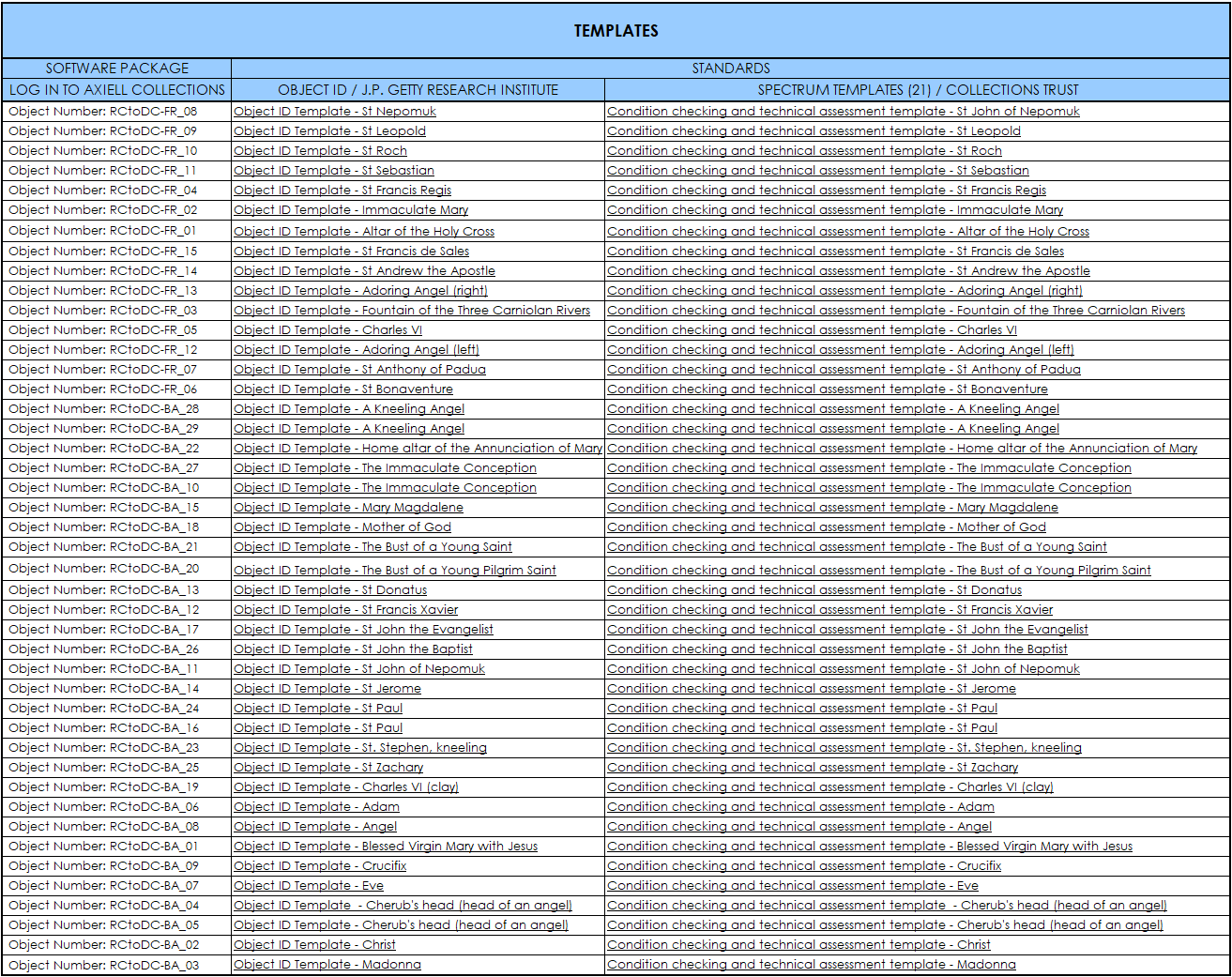
The booklet is also manifested in the form of an excel table. Excell was chosen as a widely accessible and user-friendly tool that can be easily customized to meet specific needs. The table serves as a functional framework for data planning, collection, and processing, linking all materials—from initial planning to raw data entry—through hyperlinks. All content is fully available for download and ready to use, modify and adapt to your own needs.
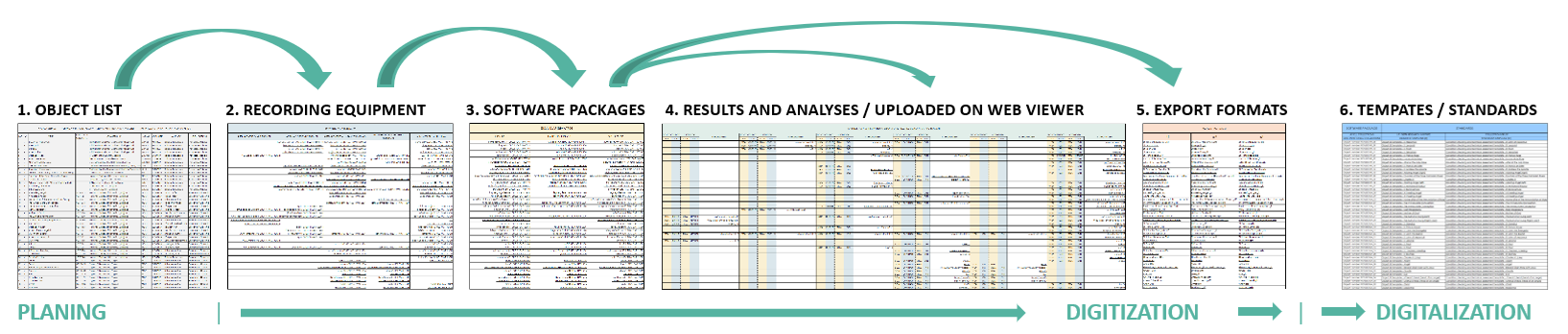
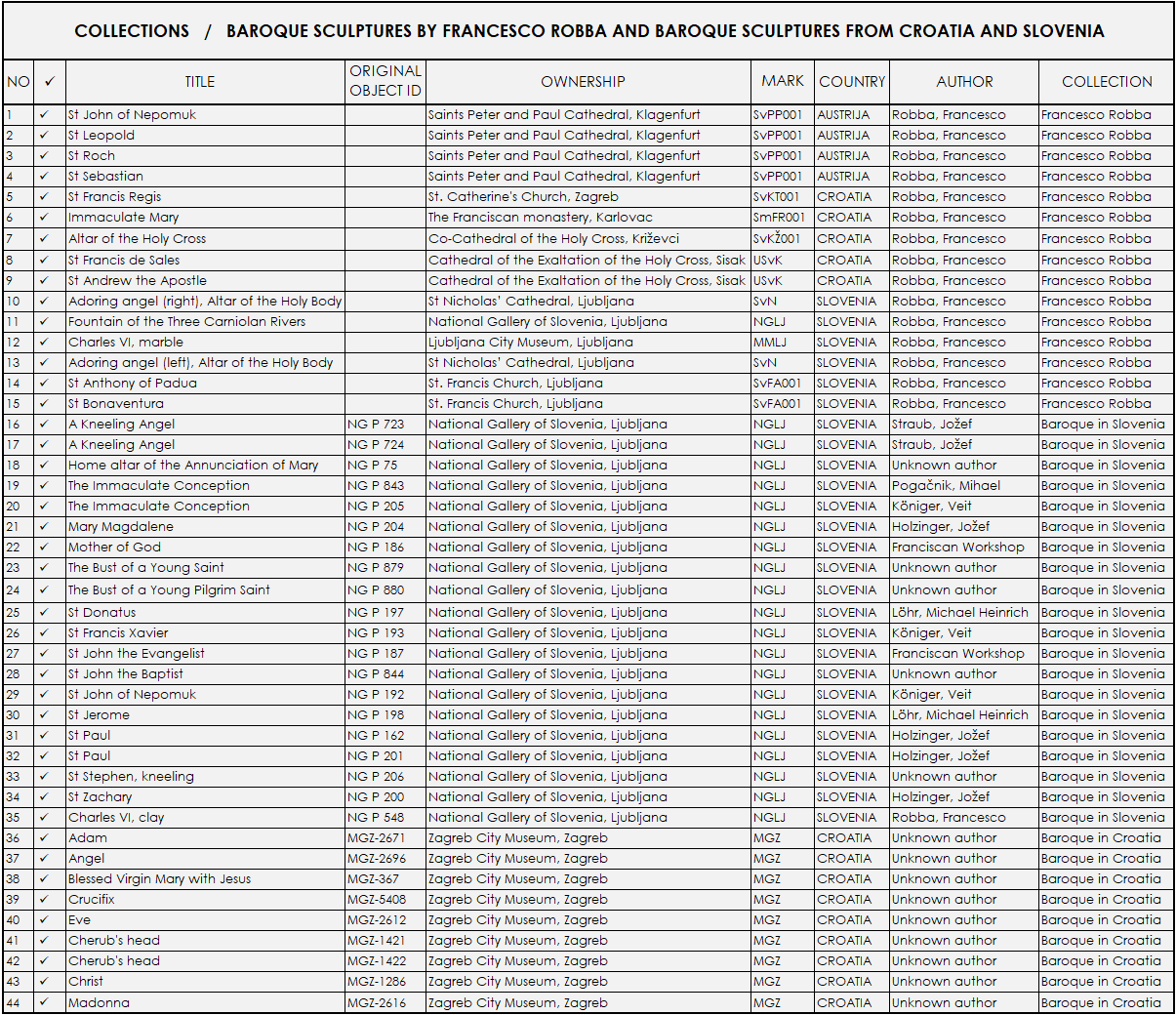
1. OBJECT LIST - Defining the project task and objectives.
You can adapt this structure to fit your needs. For example, our 'mark' column is used for file naming; you can keep it, remove it, or replace it with something else—like recording dates—to better match how you organize your data before going to the field.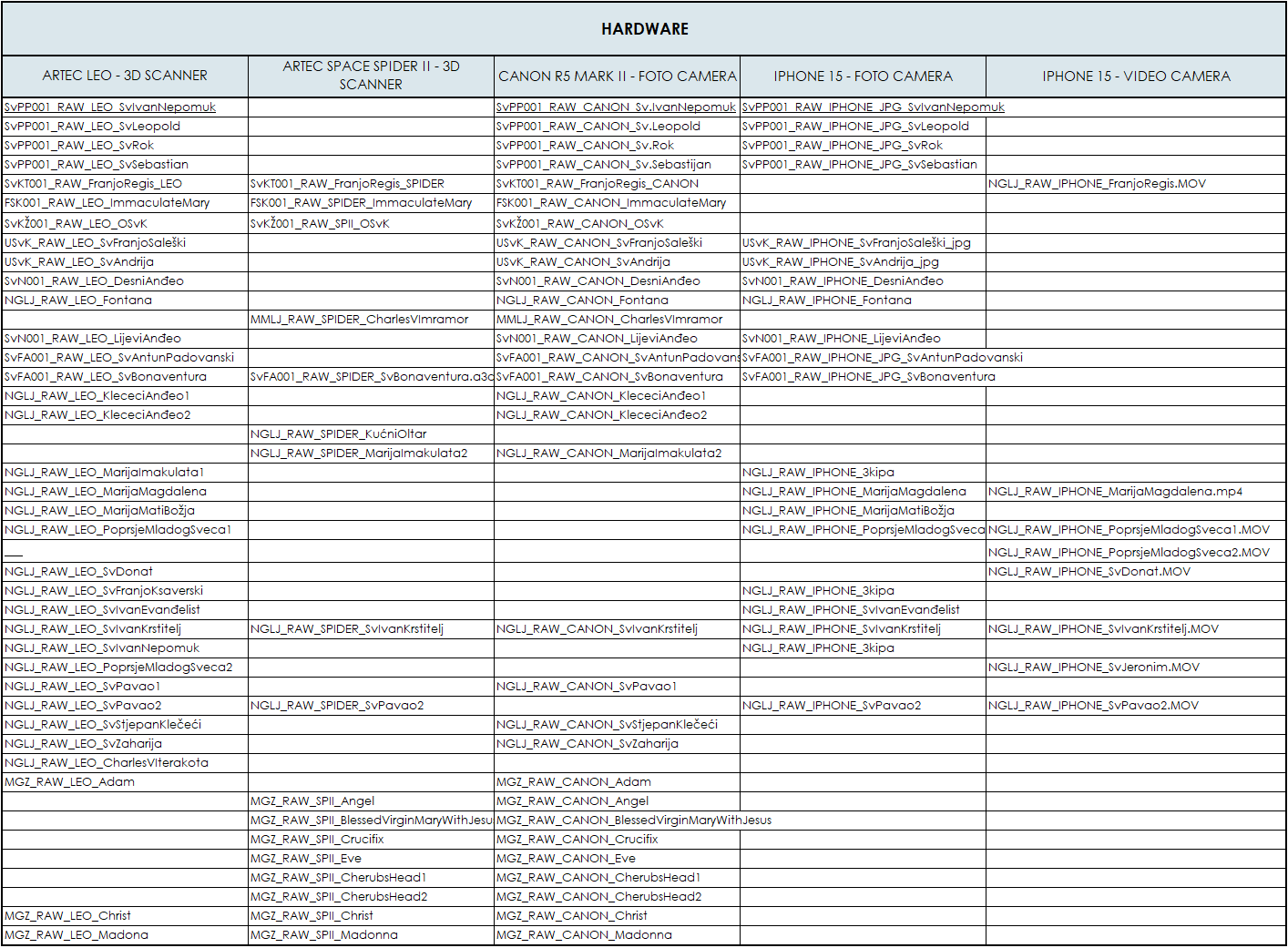
2. RECORDING EQUIPMENT - Collecting and organizing raw survey data files using listed equipment.
The "recording equipment" table defines the devices and methods by which we will collect data in the field. For example, you can see in the table that the recording was done with an IPhone 15 smartphone in the form of photos and in the form of videos. The table can easily be expanded by inserting a column, in case we unplannedly record the object with other devices.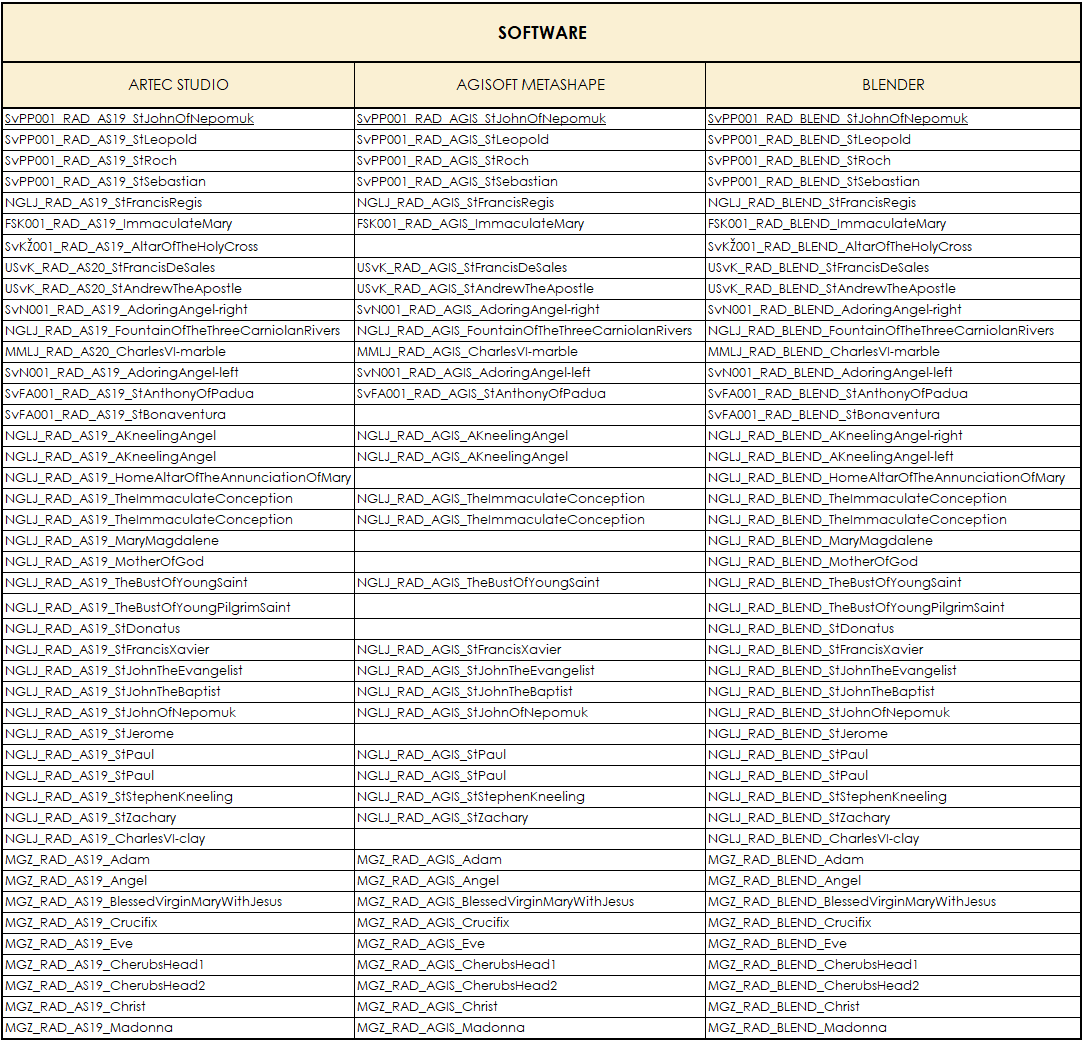
3. SOFTWARE PACKAGES
Processing data refinement using listed software tools. In the software packages table, you will find the original names of the final files. You can download them directly via hyperlinks and open them in their respective applications. You can easily modify the table according to your needs, or the software you intend to use. Note: The software featured in this example provides free or trial access. You can familiarize yourself with the data processing itself on the website of the manufacturer of the software you will already be using.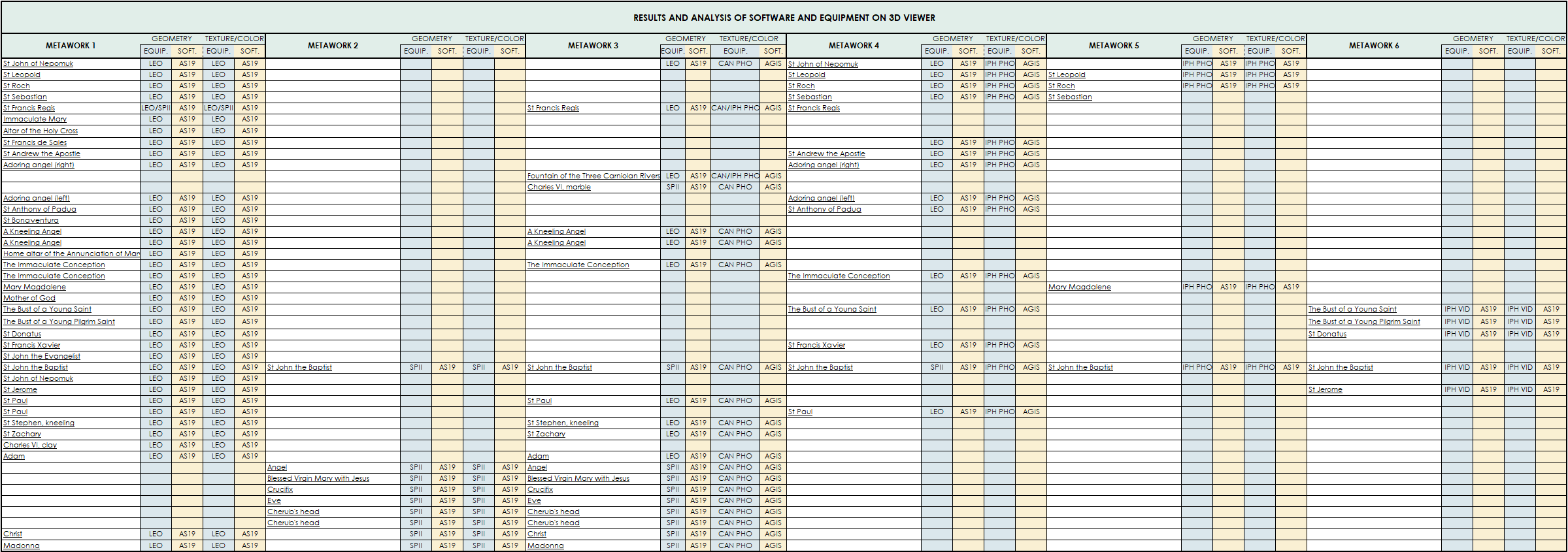
4. RESULTS AND ANALYSES
3D publication of uploaded 3D object versions to a web-based viewer. In our case, we made six variants of the 3d model, where the variations are related to the quality of the geometry of the mesh model and the quality of the texture. some 3d models are created using different software and data sources for mesh geometries reconstruction, and different texture building software. Each model in the excel table is linked by a hyperlink to the web browser.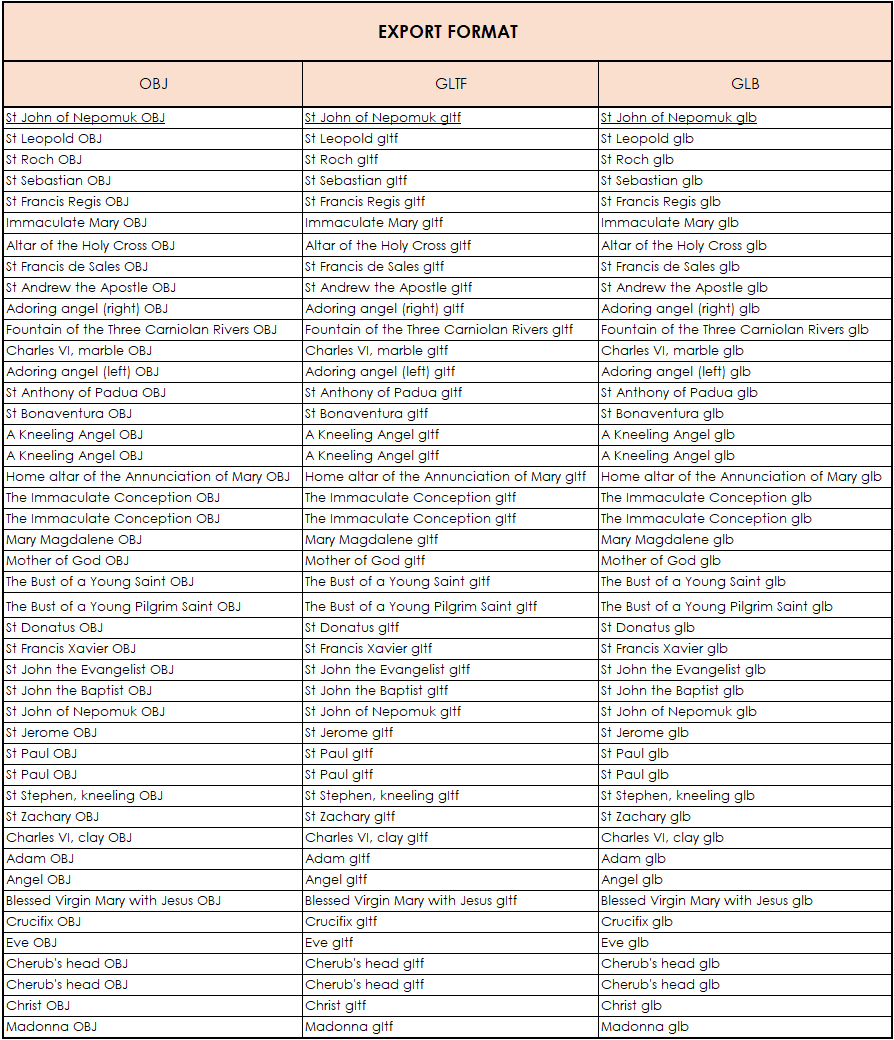
5. EXPORT FORMATS
Processing data refinement using listed software tools. In this table, for example, there are three variants of 3d models in popular formats (obj, gltf, glb). Files are lightweight to ensure easy downloading and compatibility with standard 3D viewers. For gLTF and GLB files, we recommend using the Model Editor (optimized for Google Chrome), available at: ModelViewer .